Your tasks. Your server.
An open-source task manager for projects, recurring work and shared lists, on your own server. Inspired by Todoist.
Demo login: demo / demoRead the docs
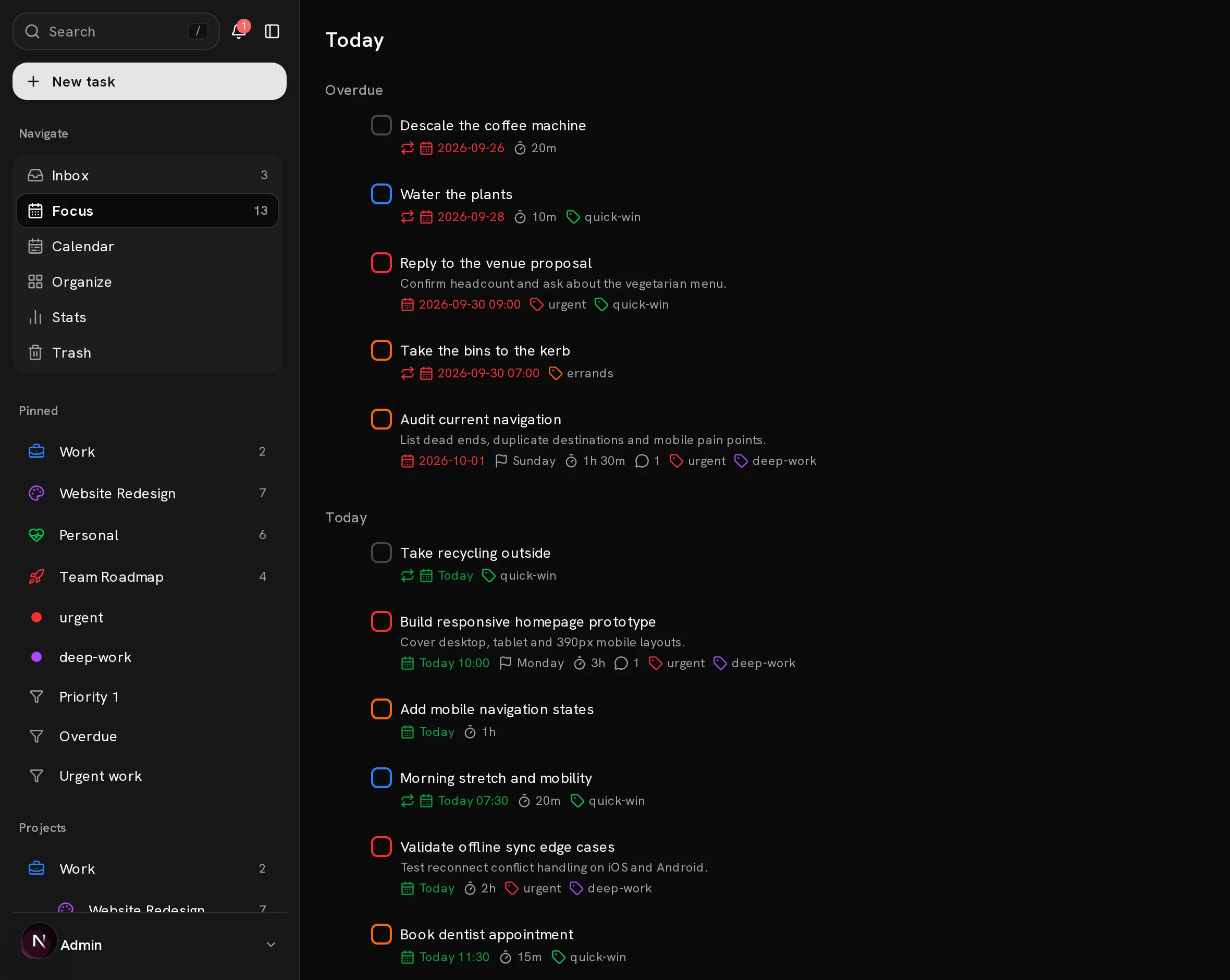
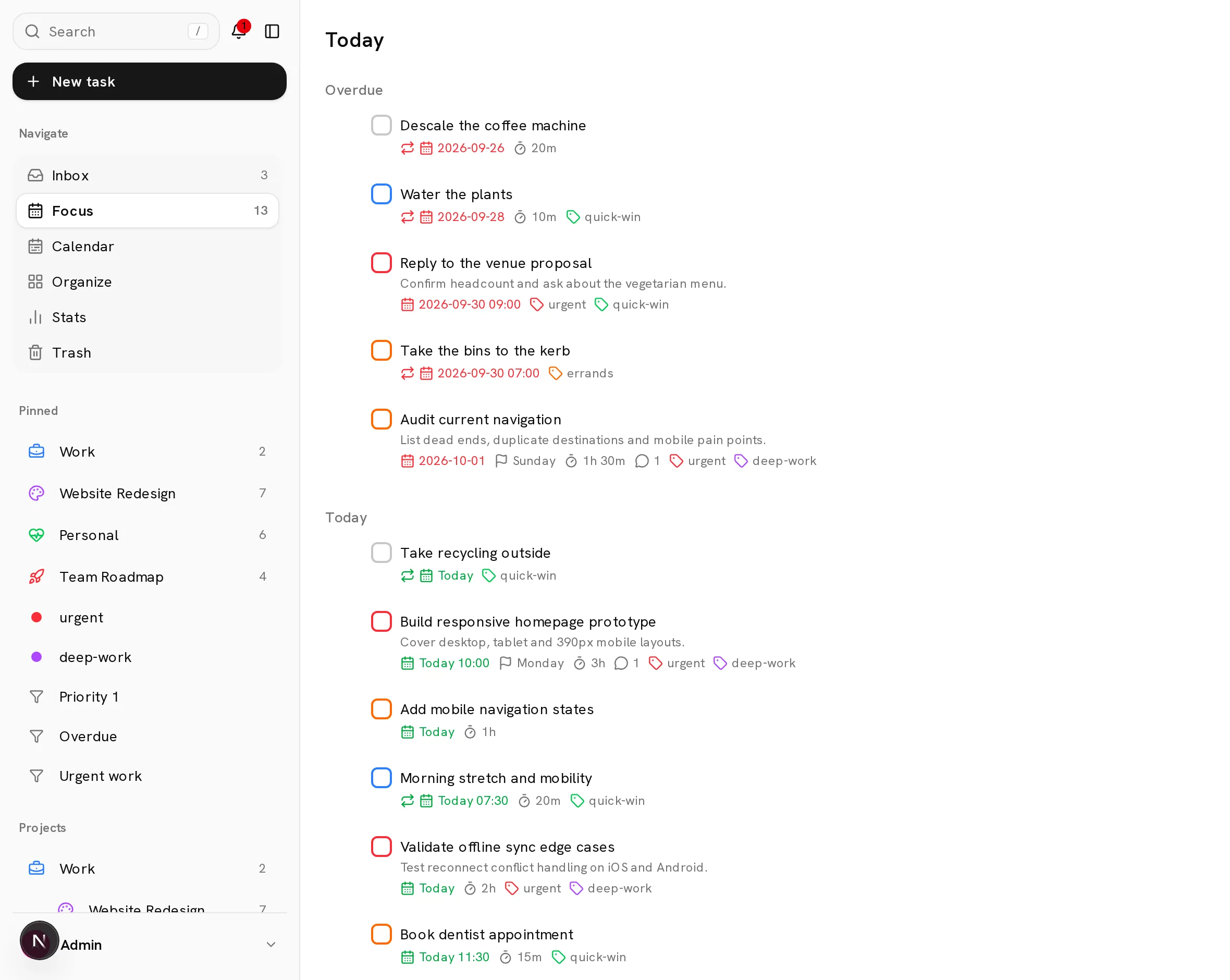
Projects and subtasks.
A place for the whole project.
From the first idea to the last detail. Keep your projects, everyday tasks and the work you share in one place.
Bring a little order
to the big picture.
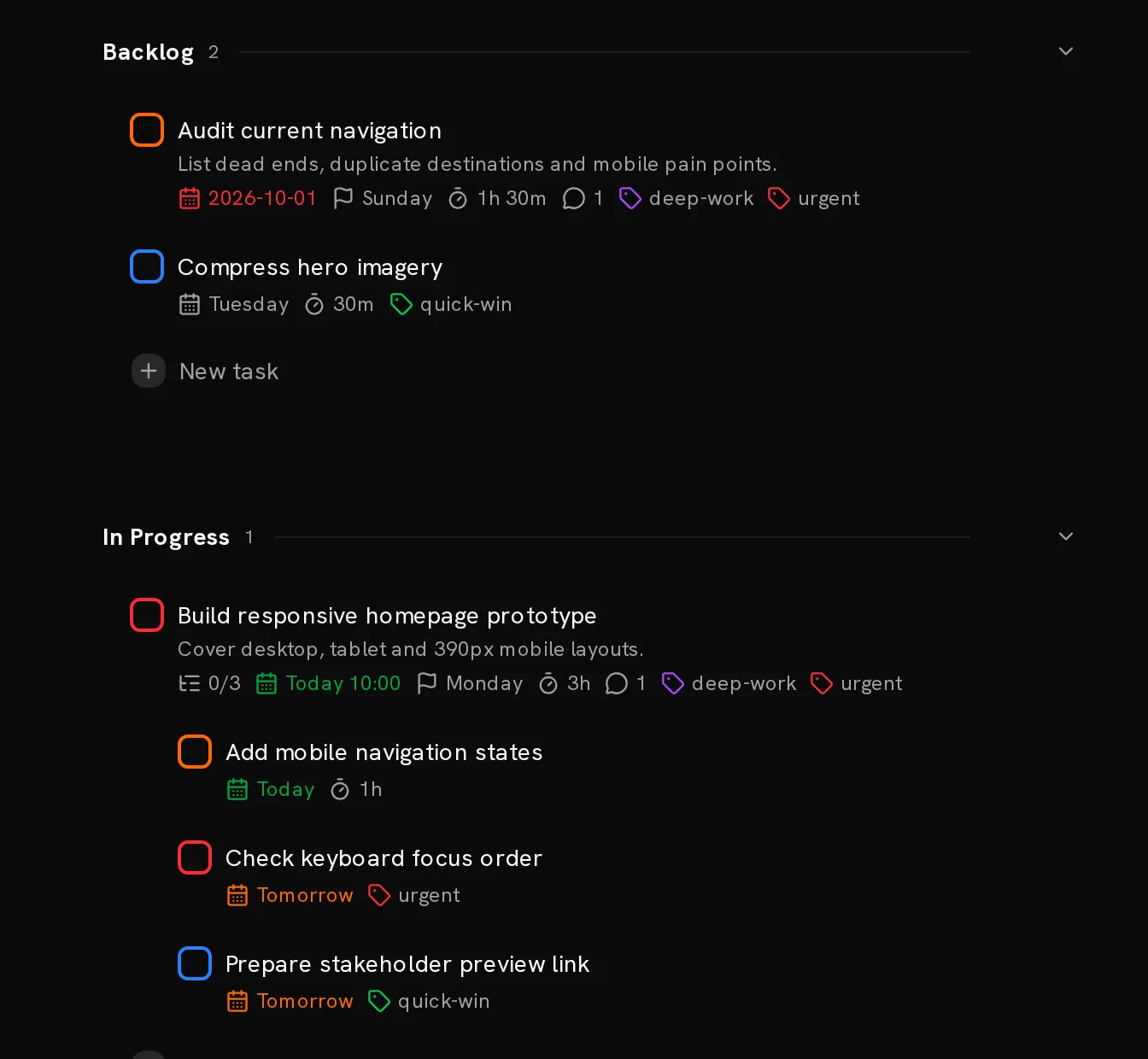
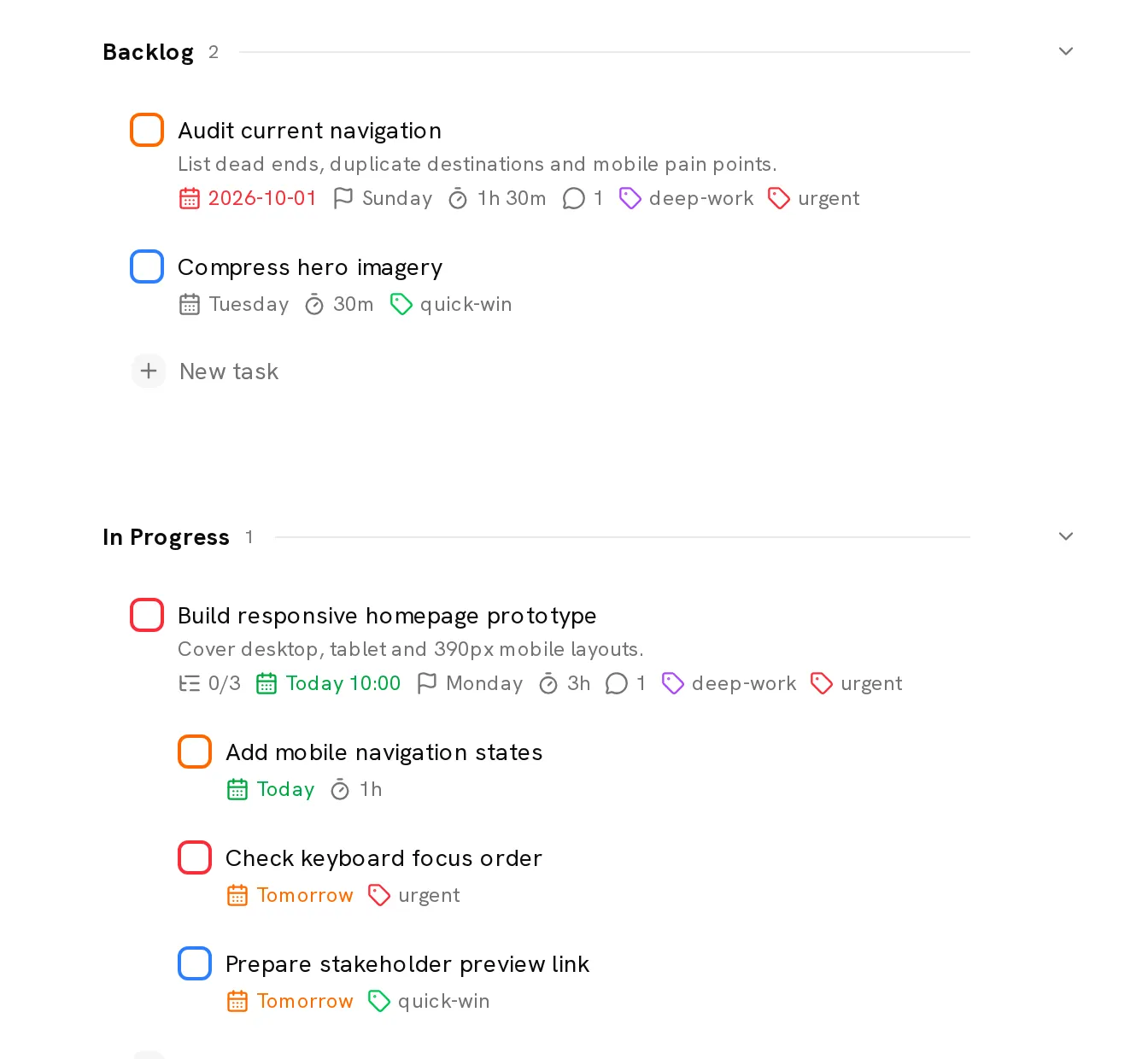
Nest projects, break them into sections and give every next step a home. Sub-tasks carry their own dates and labels.
- Projects within projects
- Four levels of priority
- Labels and saved filters
- List, board and calendar views
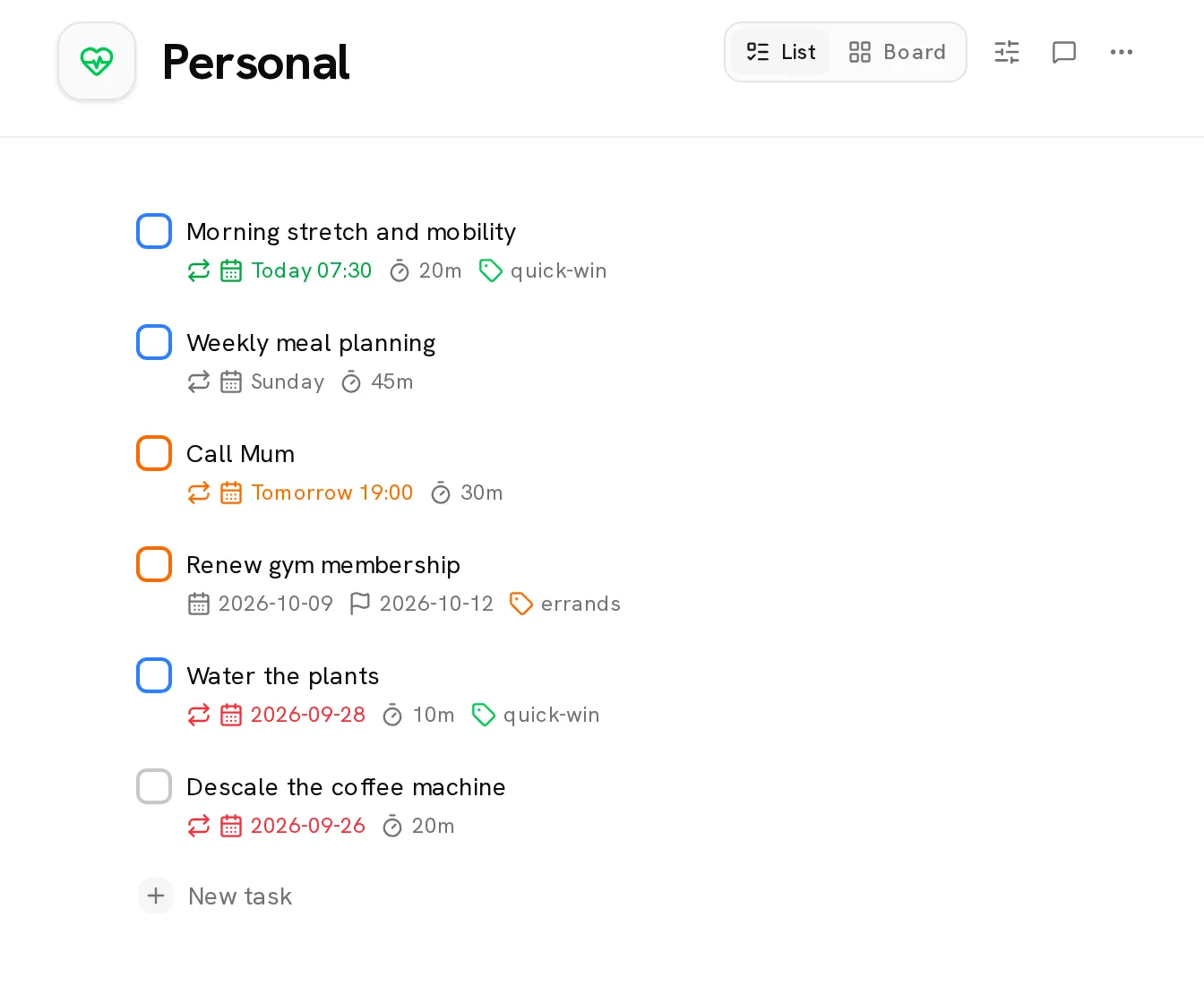
Recurring tasks
for the things you do again.
Daily routines. Weekly reviews. The occasional deadline. Set your recurring work once, with due dates and deadlines kept separate.
Make it a routine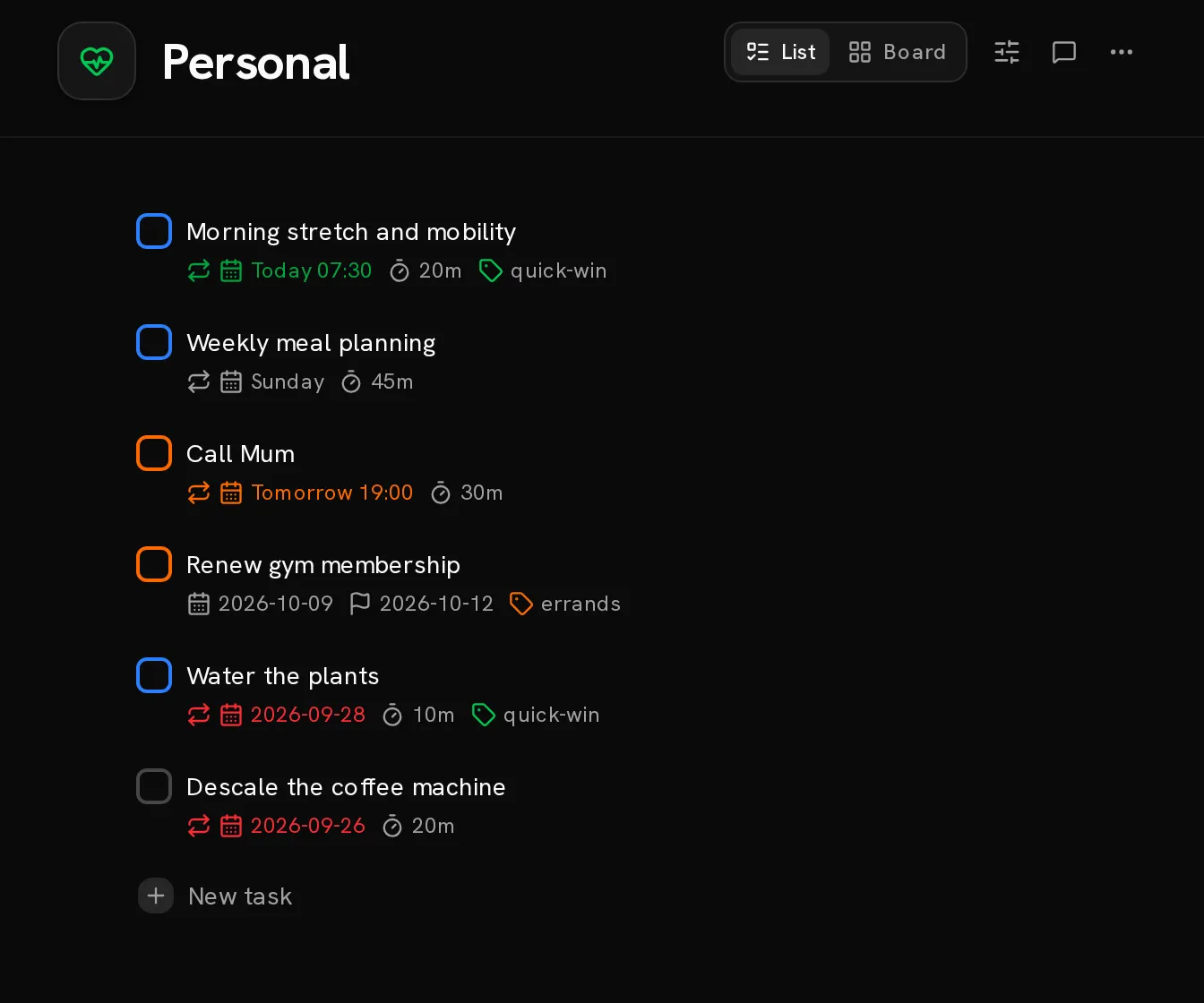
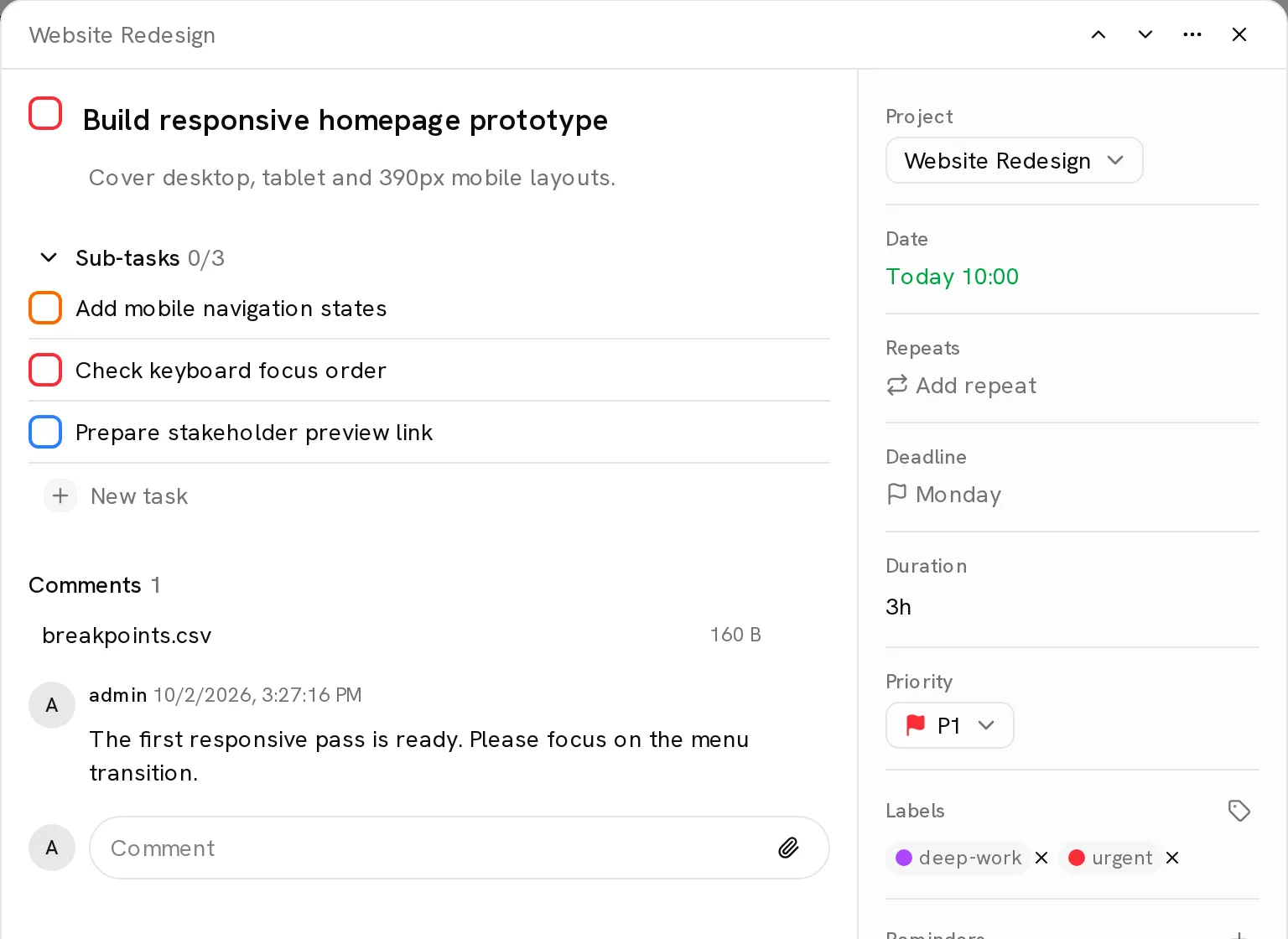
Comments and files,
kept with the work.
Share a project, leave a comment and attach the file. Everything stays together, with attachments in your own S3 storage.
Work together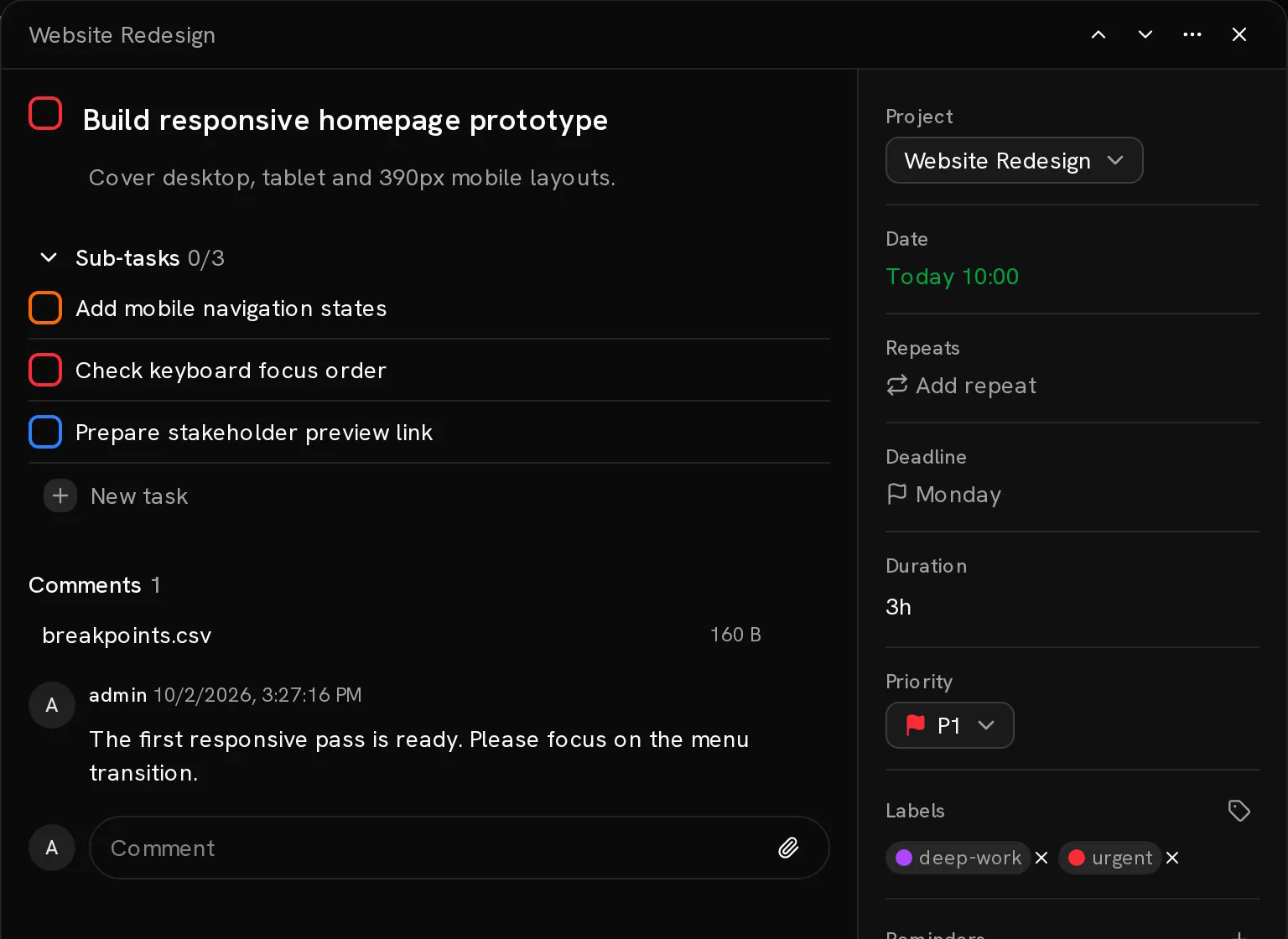
Natural-language quick add.
Dates, priorities, projects and labels, in a single line.
Read the quick-add syntaxConatus reads dates, times, repeats, durations, deadlines, reminders, priorities, projects and labels straight out of the task name. Typing “Call the dentist next Tuesday at 2pm for 30m #Errands @urgent” files the task in Errands, labelled urgent, at 2pm next Tuesday with a 30 minute estimate.
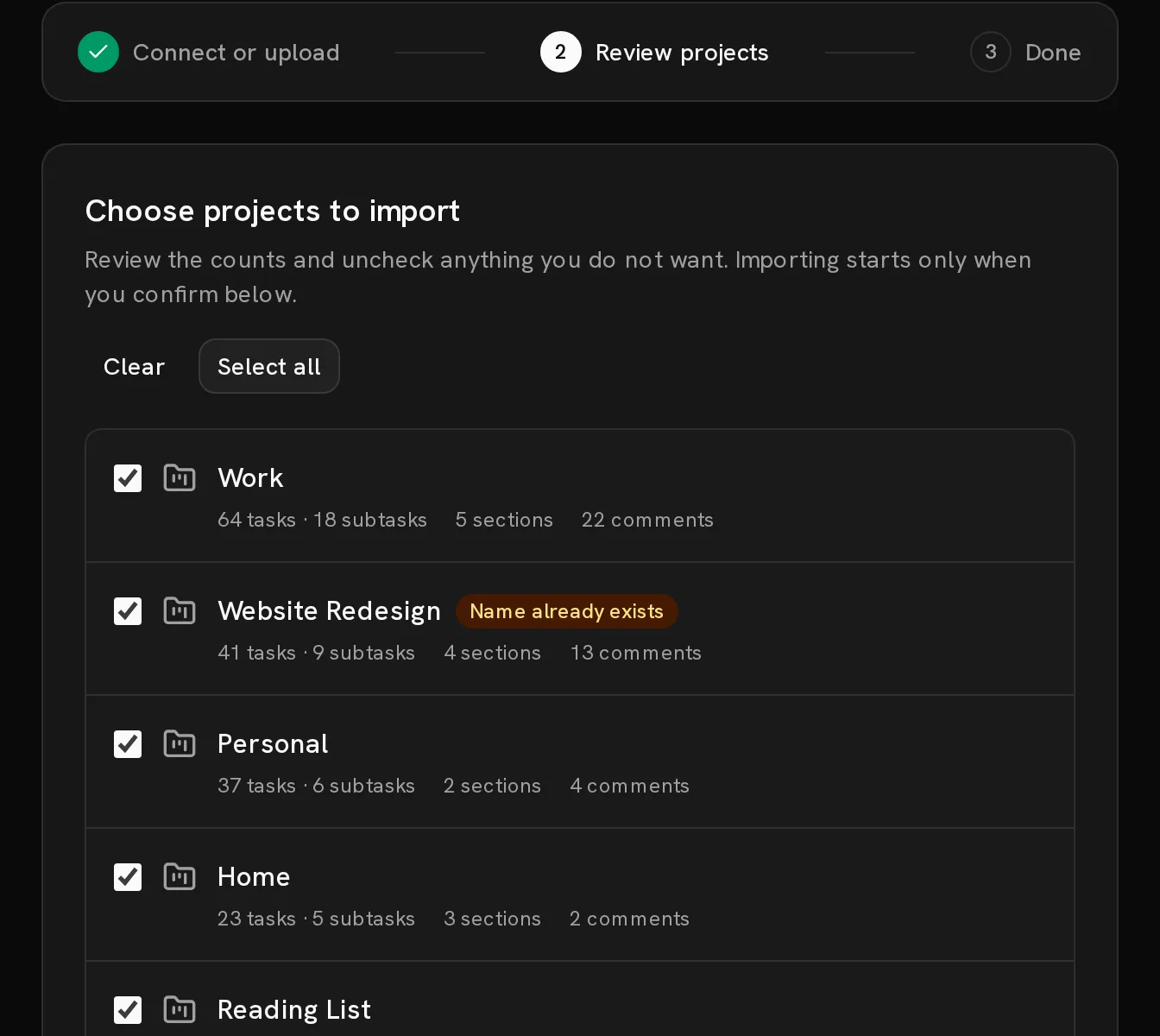
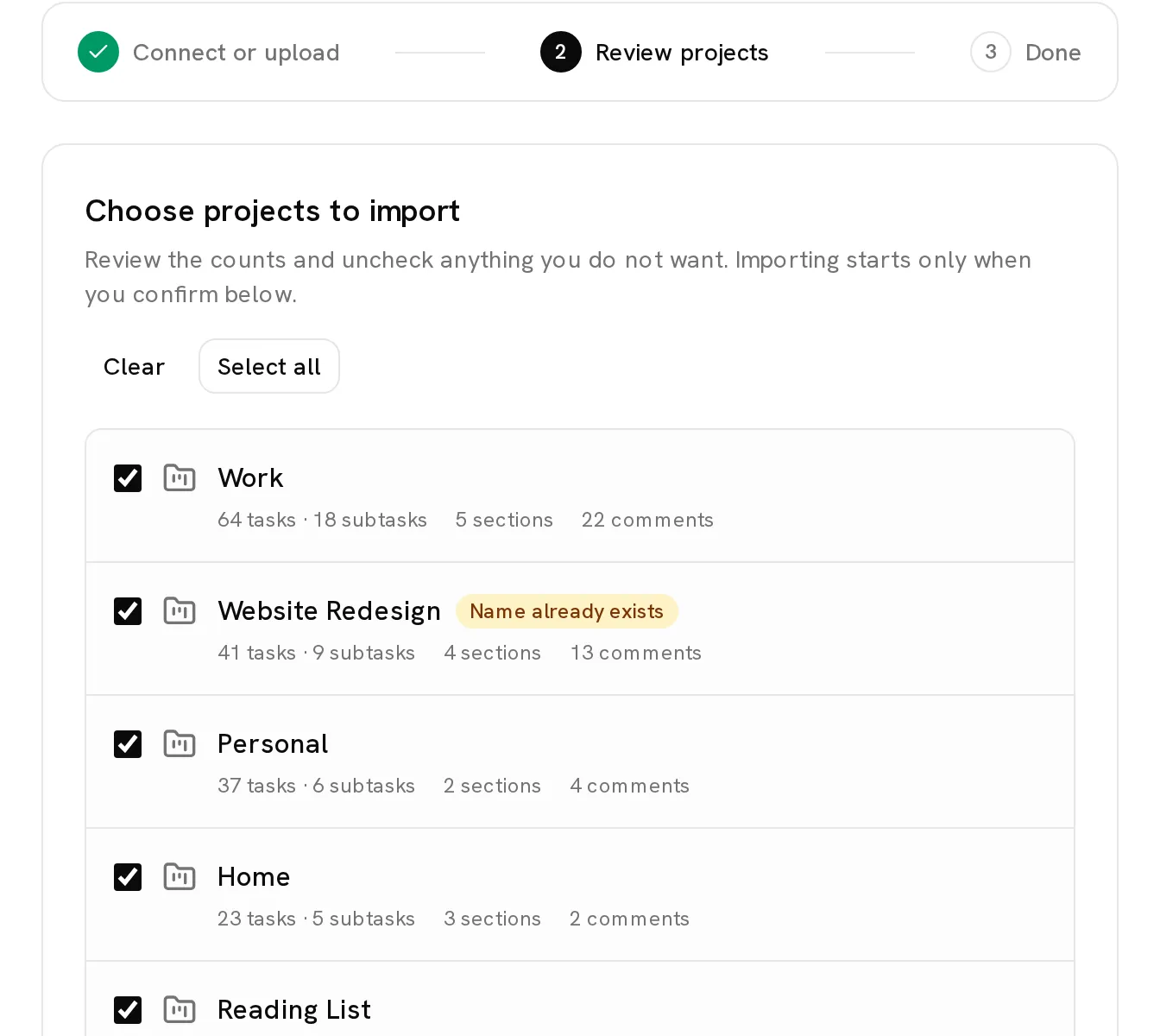
Import from Todoist.
A familiar rhythm.
Already have a system in Todoist? Bring your projects, sections, tasks, labels and comments with you.
Connect the API or upload a backup, review what transfers, then make the move when you’re ready.
Bring your tasks overSee how Conatus compares to TodoistAPI, webhooks and MCP.
Talks to your tools.
A versioned API, signed webhooks and a separately released MCP server. Connect your task manager to the rest of your world.
curl -H "Authorization: Bearer tdm_..." \ "https://tasks.example.com/api/v1/tasks?completed=false"Scoped bearer tokens. Cursor pagination. An OpenAPI 3.1 contract.
Explore the API{ "type": "task.completed", "taskContent": "Build responsive homepage prototype", "projectName": "Website Redesign", "occurredAt": "2026-09-02T12:48:05.412Z"}Task and project events, delivered with an HMAC-SHA256 signature.
Connect a webhook# Connect your AI client to your Conatus instancenpx -y conatus-mcp setupA separately released MCP server for projects, tasks, comments and reminders.
Set up MCPSelf-host with Docker.
Make yourself at home.
Conatus runs on your server with Docker Compose. Your tasks in PostgreSQL. Your files in S3 storage. Daily database backups from the first boot.
Read the complete install guideGet the files.
Deployment files pinned to v1.2.1.
mkdir conatus && cd conatuscurl -fLO https://github.com/nojusmorkunas/conatus/releases/download/v1.2.1/docker-compose.ymlcurl -fL -o .env https://github.com/nojusmorkunas/conatus/releases/download/v1.2.1/default.env.exampleMake it yours.
Set your credentials before starting the stack.
Open .env and replace every replace-with-... value with a unique credential. Set CONATUS_ADMIN_USERNAME and CONATUS_ADMIN_PASSWORD for the first administrator.
CONATUS_VERSION=1.2.1CONATUS_BIND_ADDRESS=127.0.0.1Use the loopback address for a local install or a reverse proxy on the same host. Compose checks that variables exist; it cannot detect unchanged placeholders.
Bring it to life.
Start the stack and sign in.
docker compose up -dOpen http://localhost:4399. For a domain, follow the reverse proxy guide.
Named Docker volumes keep your data persistent. A migration job runs before startup. Back up before upgrading; some migrations need a restore to roll back.
Upgrade guideOpen source.
Yours to keep.
Read the code. Run it yourself. Make it your own.
If Conatus is useful to you, a star helps others find it.